
Turn live product views into real conversions.
Arki: Product Live Viewers adds real-time counters directly on your product pages, showing shoppers that they are not alone—driving urgency, trust, and more add‑to‑carts.
Live preview
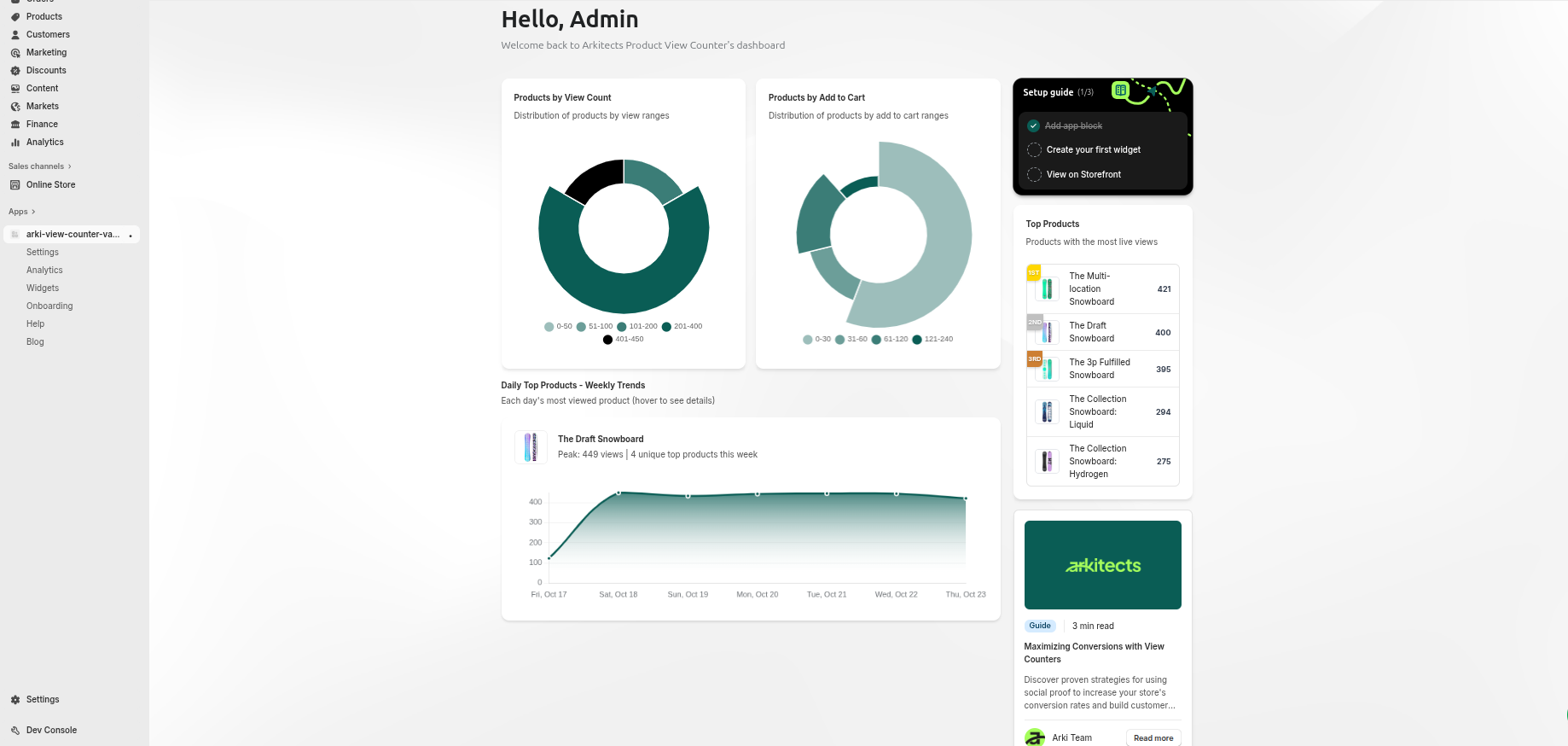
Real dashboards from the app: see total product views, widget performance, and top products at a glance.
Why merchants choose Arki
Social proof that feels native to your brand.
Arki tracks product views and turns them into subtle, on-brand widgets that show live interest without feeling spammy.
Real-time viewer tiers
Configure dynamic tiers (e.g. 1–5, 6–20, 21+) and let the widget automatically adapt as traffic changes.
Conversion analytics
Understand which widgets and products perform best with built-in dashboards inside the app.
Lightweight & theme-safe
A minimal footprint widget that loads fast, respects Core Web Vitals, and works alongside your existing theme.
Measure the impact
See exactly what your widgets are doing.
The analytics view helps you understand how live view counters influence shopper behavior—by widget, by product, and over time.
- Compare performance across different widget styles and tiers.
- See which products benefit the most from social proof.
- Filter by time range to understand trends around launches and campaigns.
Example: widget views over the last 7 days
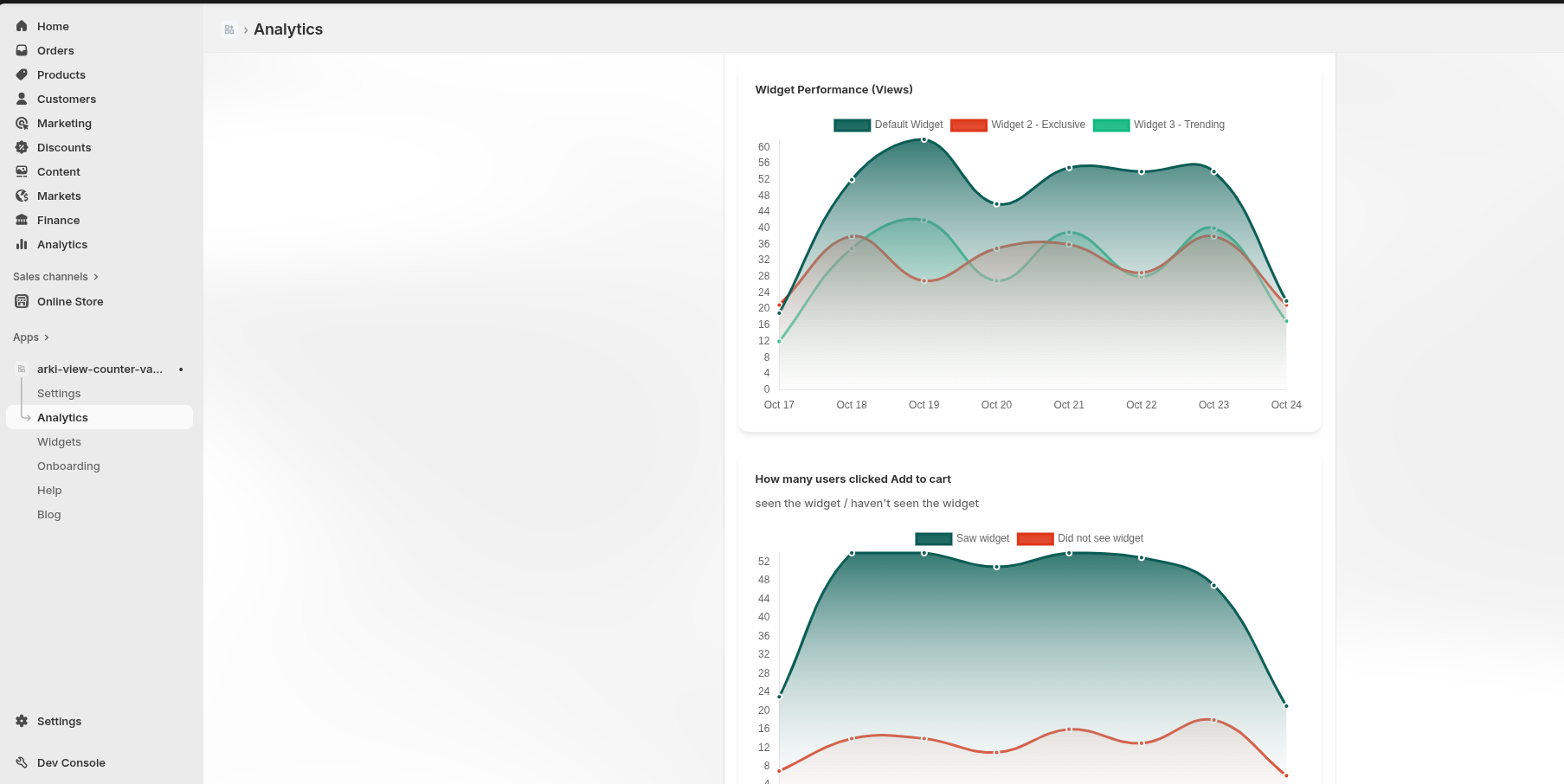
Illustrative data only. In your store, this chart is powered by real widget interactions.
How it works
From install to impact in minutes.
Arki is built for busy Shopify teams—no custom code required.
- 1
Install from the Shopify App Store
Click “Install app” on the Shopify App Store listing and approve permissions. Arki sets up the basics for you.
- 2
Configure your first widget
Choose your tiers, styling, and targeting—either use the default widget or create variants for specific products.
- 3
Measure and iterate
Use the built-in analytics dashboard to see what’s working, then refine copy, colors, and placement over time.
Questions
Frequently asked questions
If you’re wondering whether live view counters are right for your brand, these quick answers might help.
Will it work with my existing Shopify theme?Details
Yes. Arki: Product Live Viewers is designed to be theme-safe and lightweight, so it works alongside your existing design without breaking layouts or slowing pages down.
Will the widget slow down my storefront?Details
No. The widget is intentionally lightweight and is served through a modern, optimized stack designed to keep your theme fast and responsive.
Can I turn the widget off on certain products?Details
Absolutely. You can target specific products or collections, or rely on a default widget that appears only where you choose.
Ready to add live social proof?
Start showing live product interest today.
Install Arki: Product Live Viewers on your Shopify store and see how subtle, on-brand social proof can lift conversions without adding clutter.